Do you need your PhilHealth MDR or Member Data Record? If you need help with it, don’t worry, we’ve got you covered. PhilHealth MDR is an essential document that contains your membership information, including personal details, membership status, and contributions. We’ll provide you with a step-by-step guide on how to obtain it.
How to Print PhilHealth MDR
Go to PhilHealth website and select Online Services
2. Click the Member Portal – Login button.
3. Log in to your PhilHealth account.
4. Navigate to the Member Information tab and choose Print MDR.
Whether you’re a first-time homebuyer or a seasoned homeowner, managing your finances and payments can be overwhelming. That’s why Gcash has made it easier for you to pay your Pag-IBIG home loan. Gcash allows you to pay your loan anytime and anywhere. Plus, it’s a great way to save time and avoid the hassle of traditional payment methods. We’ll walk you through the process of paying your Pag-IBIG home loan using Gcash, step-by-step. Paying your Pag-IBIG home loan has never been easier with Gcash. Let’s dive in and get started!
How to Pay Pag-IBIG Home Loan in Gcash
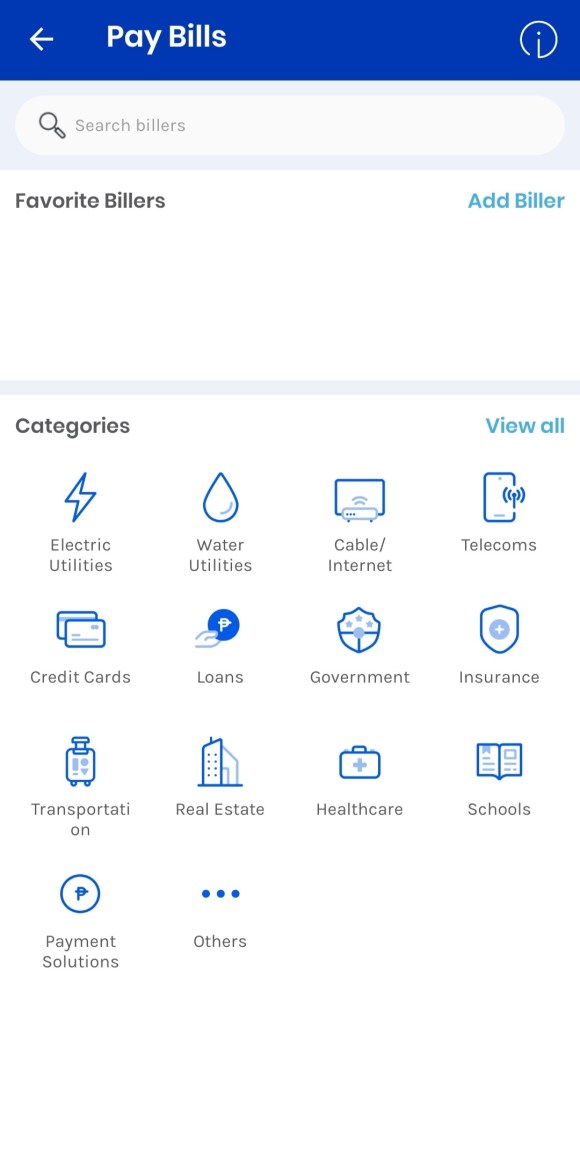
Open the GCash app and choose Bills.
Type Pag-IBIG.
3. Enter the desired amount, the housing loan option, the account number, the from and to dates, and email address.
4. Look over your payment.
5. Gcash will send you an email and text message to confirm a successful payment transaction.
Looking for more Pag-IBIG tips?
Check out our updated guides on lifeguide.ph to help you save time and manage your finances smarter. Stay tuned for more 2025 updates on contributions, loans, and benefits.
As an adult, we know that investing in our future is crucial, but we also know the value of convenience and accessibility. Traditional over-the-counter payment methods can be time-consuming and confusing, leaving us feeling overwhelmed and unsure about our investments.
That’s why we’re excited to share with you this alternative way of paying your Pag-IBIG MP2 contributions.
By using Gcash, a mobile wallet that allows you to pay bills, transfer money, and even invest, you can now pay your MP2 contributions in just a few taps. We understand that the thought of managing your finances can be intimidating, but we aim to make the process engaging and easy to understand.
So if you’re an adult who wants to take control of your financial future, keep reading as we guide you through the step-by-step process of paying your MP2 contributions using Gcash. Get ready to learn, have fun, and secure your financial future without the hassle!
How to Pay Pag-IBIG MP2 Contribution in Gcash
Go to GCash app and select Bills
2. Type Pag-IBIG and tap it.
3. Enter the amount, select MP2 Savings, account number, the period from and to, and email address.
4. Verify your payment.
5. You will receive a text and email confirmation from Gcash for successful payment transaction.
Looking for more Pag-IBIG tips?
Check out our updated guides on lifeguide.ph to help you save time and manage your finances smarter. Stay tuned for more 2025 updates on contributions, loans, and benefits.
You can now conveniently pay your contributions with just a few taps on your phone. This is a game-changer for everyone at any age you are and if prefer to do things digitally without leaving your house. We have different articles to guide you on how to pay your Pag-IBIG contributions in Gcash from contributions, house loans, and MP2 savings.
Go to GCash app and choose Bills
2. Type Pag-IBIG and select it.
3. Enter the amount, select Members Contribution, account number, the period from and to, and email address.
4. Confirm your payment.
5. You will receive a text and email confirmation from Gcash for successful payment transaction.
Looking for more Pag-IBIG tips?
Check out our updated guides on lifeguide.ph to help you save time and manage your finances smarter. Stay tuned for more updates on contributions, loans, and benefits.
Losing a loved one is never simple, and dealing with difficult procedures should be the last thing on your mind. We recognize that this is a trying moment for you, and we want to ensure that everything is handled with the utmost consideration and care, keeping things as easy and straightforward as possible.
To get a PSA (Philippine Statistics Authority) death certificate online, you can follow these steps:
Go to the “PSAserbilis website“
2. Select “Death Certificate” from the list of available documents.
3. Fill out the required information, including the full name of the person on the certificate, date of birth, and place of birth.
4. You have the option to send it to an embassy or government agency
5. Choose the delivery option and provide the necessary details.
6. The delivery options are from 2Go Express, LBC Express, PHLPost, DHL Express.
7. Review the summary of your request.
8. The price is from PHP 330.00 per copy and USD 20.30 per copy for the delivery destinations outside the Philippines.
9. Pay the fee, which can be done through credit/debit card, Gcash, Grabpay, Shopeepay, or over-the-counter payment at any Bayad Center.
10. Wait for the PSA to process your application and deliver the certificate to your address.
We hope that this guide has been of assistance to you in this difficult time. Remember, you are not alone, and we are here to help in any way we can. From the comfort of your own home you can have this important document in hand, allowing you to focus on grieving and honoring your loved one’s memory. Take care, and our thoughts are with you during this time.